MelodyMatrix 2.0.0: Learn Section, Fly-Over 3D Sheet Music, and Audio-to-MIDI
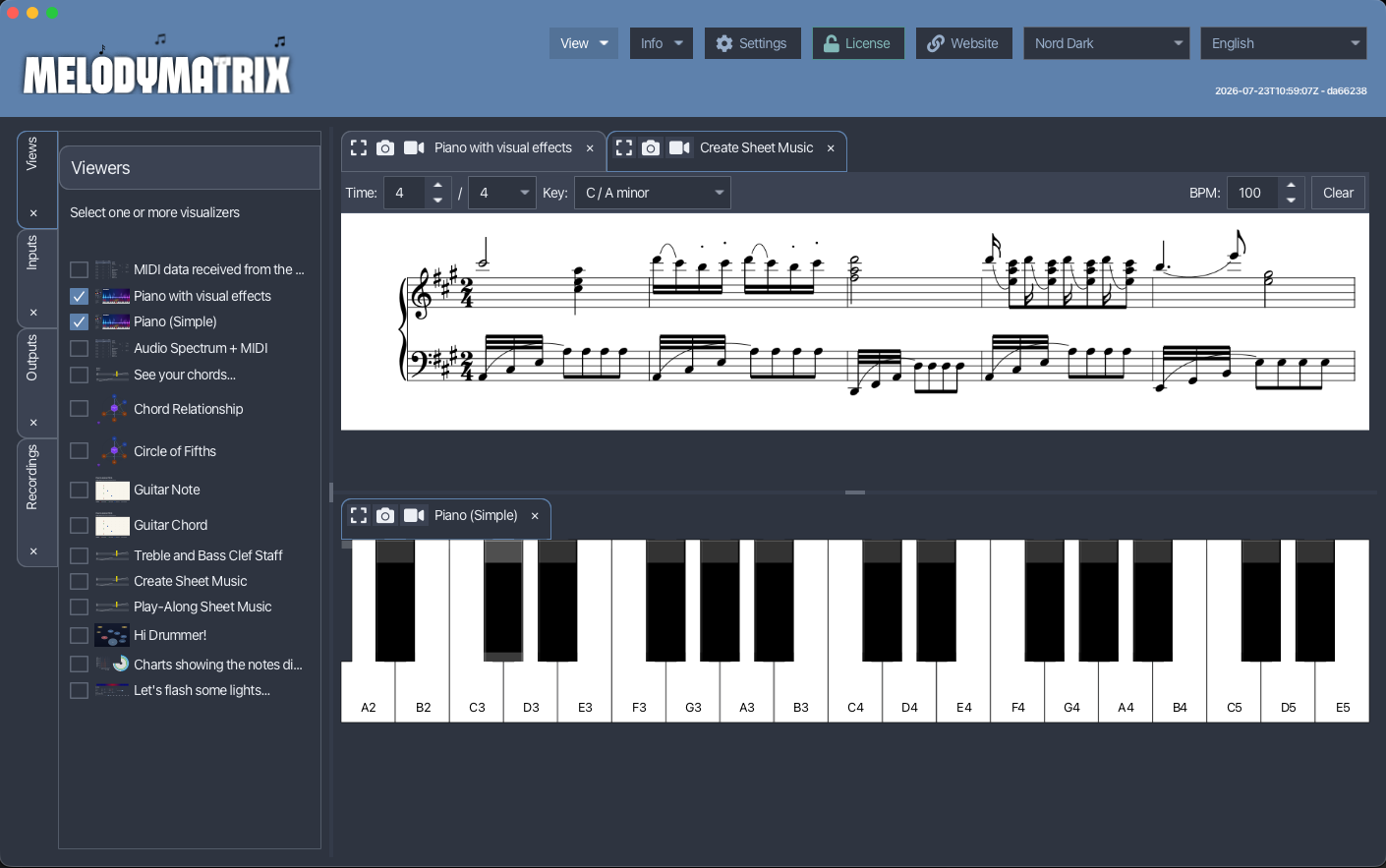
On October 16, MelodyMatrix 2.0.0 was released, the biggest update of the application so far. MelodyMatrix is a JavaFX application for musicians that connects to MIDI devices and helps you “look at music”. This release adds a way to learn, a new way to see your score, and a few tools that make daily use easier.
The Learn Section
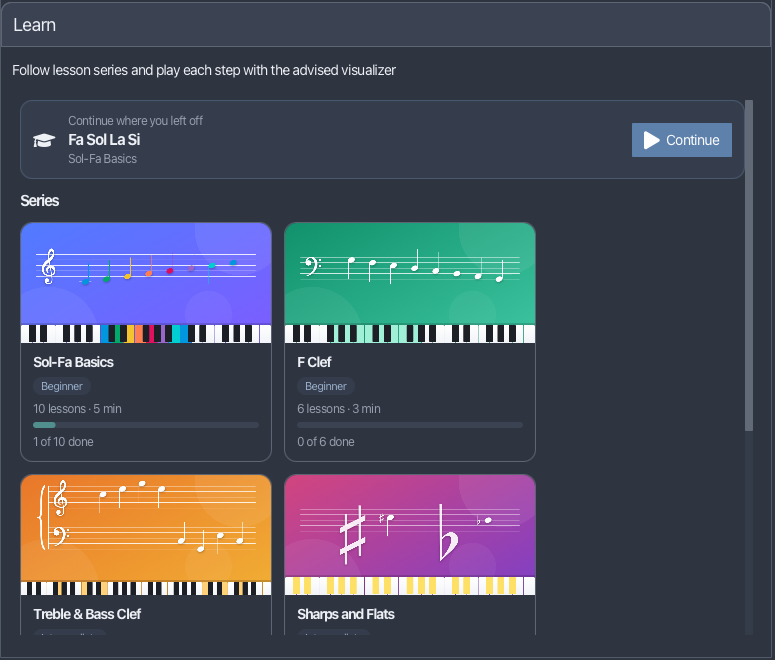
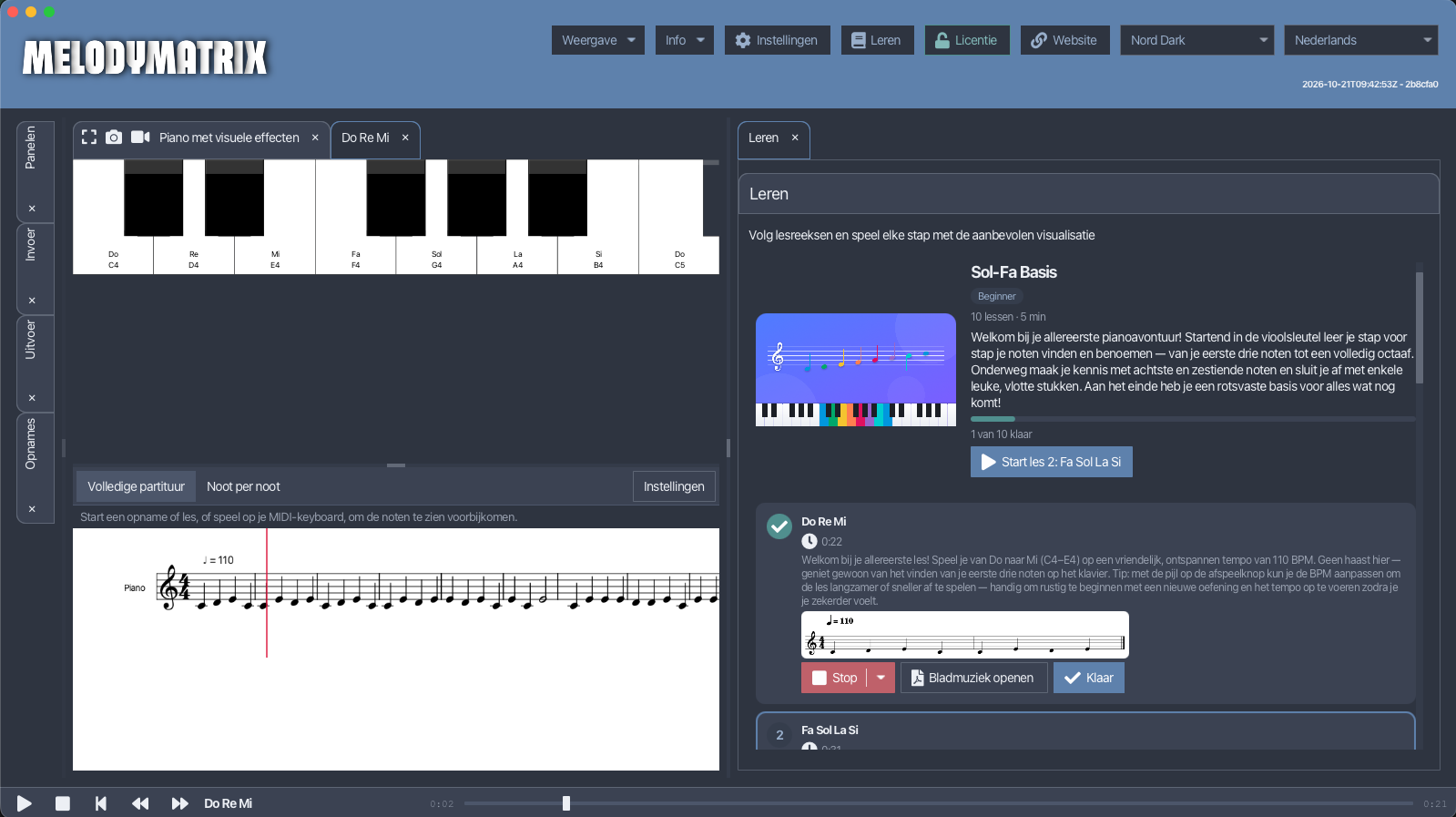
The headline feature is the new Learn section, a tutorials area built from lesson cards. Each card shows its level, its duration, and your progress, and a “continue where you left off” option brings you straight back to the lesson you were working on. The groundwork for this was already laid in MelodyMatrix 1.2.0, and it’s now ready to use.
The first set of tutorials is available from day one: five series with 25 short lessons in total. All lessons are handmade by Vik, and every exercise is composed specifically for the lesson.
- 01 · Sol-Fa Basics (beginner): 10 lessons that start in the treble clef with your first three notes, and grow to a full octave, including 8th and 16th notes.
- 02 · F Clef (beginner): 6 lessons to get comfortable with the bass clef and the left hand.
- 03 · Treble & Bass Clef (intermediate): 3 two-hand exercises across the keyboard, with clef changes.
- 04 · Sharps and Flats (intermediate): 3 lessons about accidentals and key signatures.
- 05 · Jazz (advanced): 3 lessons with seventh chords and the famous ii–V–I progression.
Each series includes free lessons, and the whole set is only about 15 minutes of content, so it’s easy to try one right away. More is on the way: Rhythm Fundamentals, Basic Chords, Play Songs With Chords, Beyond the Basic Triad, Drum Rhythm Basics, and Guitar Basics are already planned.
Fly-Over 3D Sheet Music
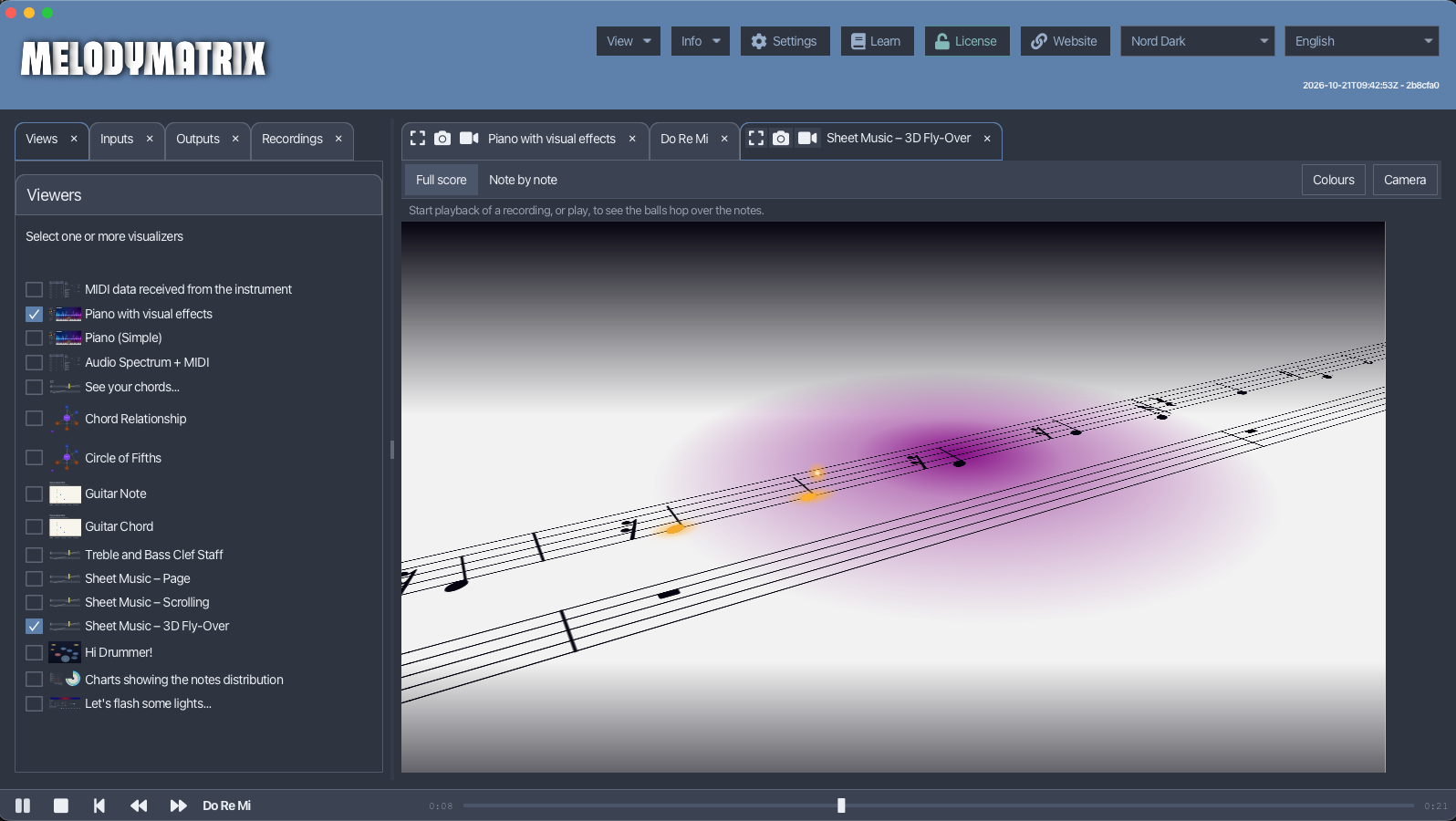
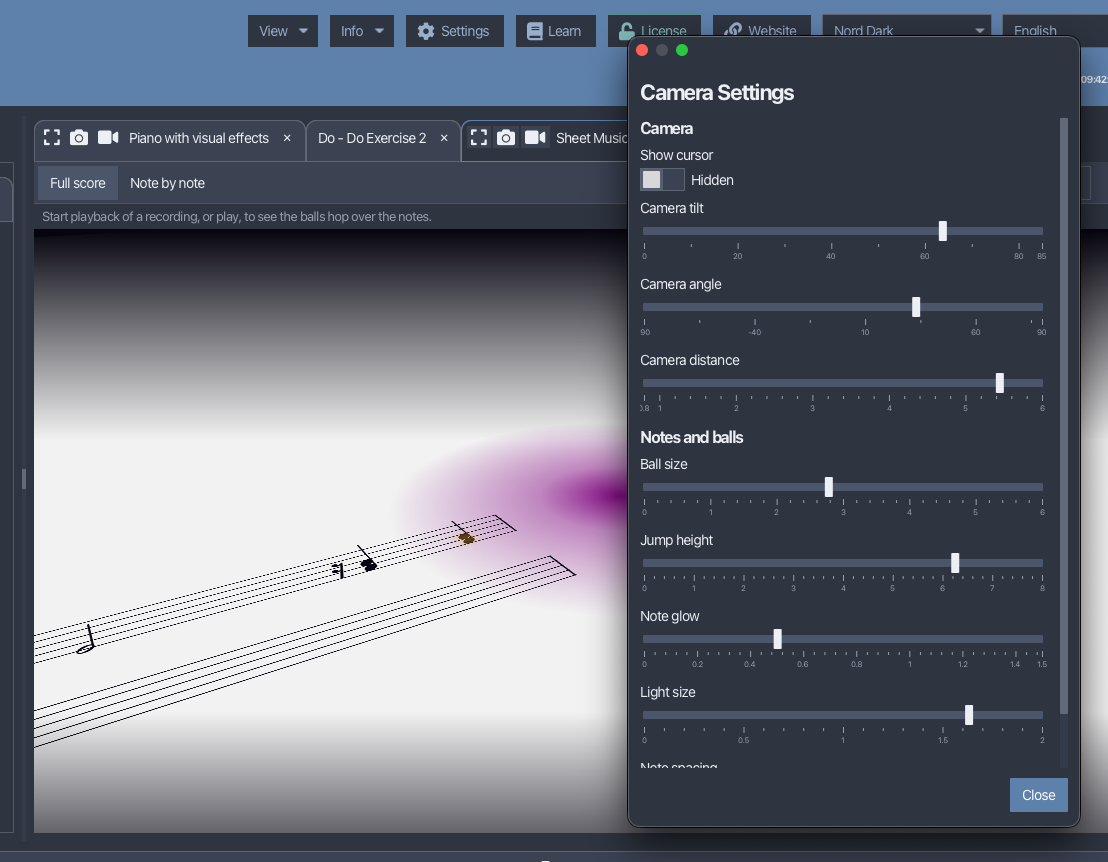
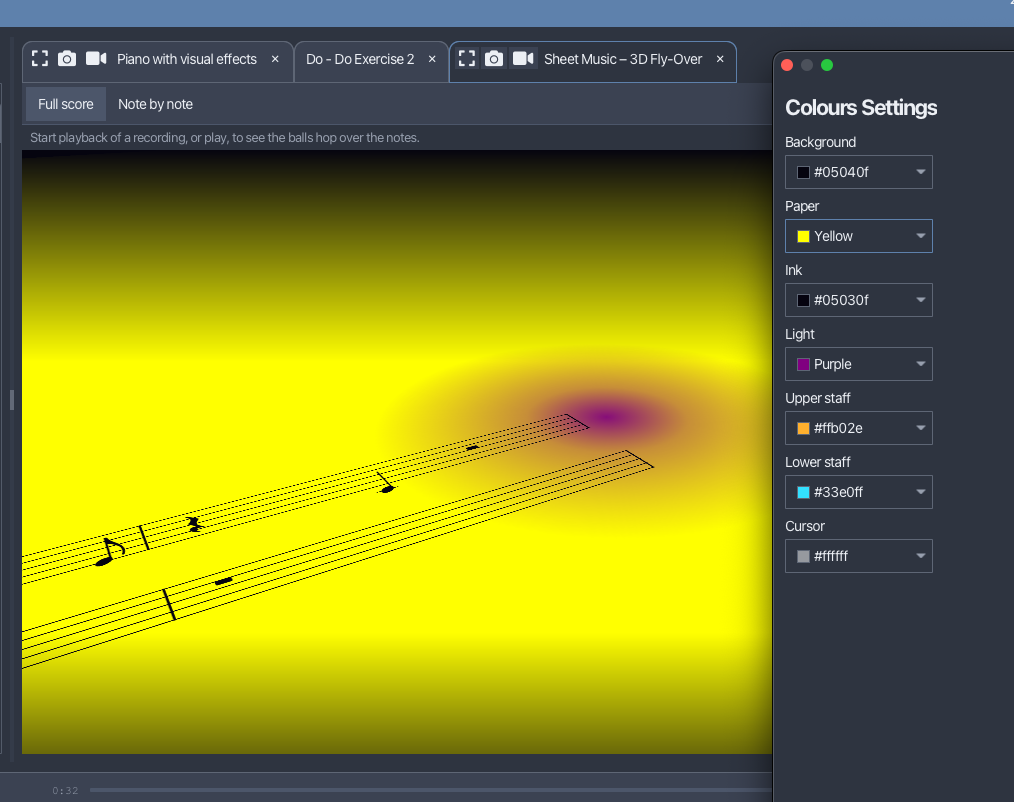
The Fly-Over view shows your sheet music in 3D. A camera glides over the score while glowing balls hop from note to note, and the notes are highlighted in real time during playback. It’s a fun way to follow a piece, and it makes it much easier to see where you are in the music.
The sheet music in MelodyMatrix is rendered by SheetMusic4J, my open-source library to parse and render sheet music in Java and JavaFX, without a WebView. The Fly-Over view was first introduced there in version 0.0.4, released on the same day as MelodyMatrix 2.0.0, as a 3D fly-over play-along view. The newest SheetMusic4J 0.0.5 added LilyPond import and export, and is the version MelodyMatrix now builds on. More background can be found in the SheetMusic4J 0.0.5 post and the release overview.
The Play-Along and Create Sheet Music views also got playback markers and note highlighting. You can choose between showing the full score or going note by note.
Playback Bar
A new toolbar at the bottom of the window gives you control over playback: play, pause, rewind, skip, and drag to any position. After pausing you can resume right where you stopped.
Convert: Audio to MIDI
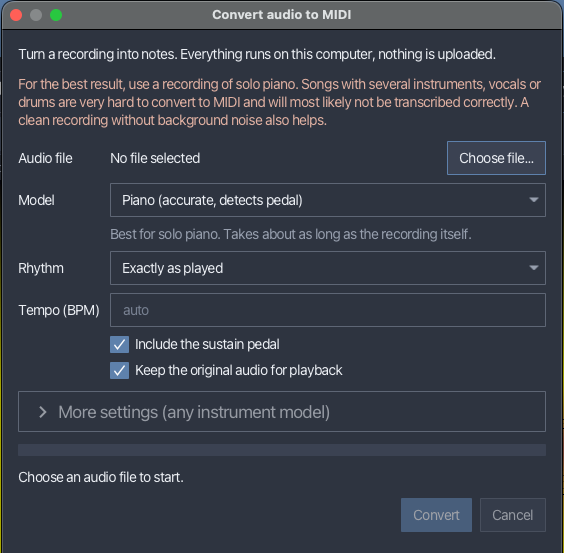
The new Convert feature turns audio files (mp3, wav, and more) into MIDI notes. The conversion runs locally on your computer, so nothing is uploaded, and it’s available to everyone, also without a license.
Two Models, Bundled in the App
MelodyMatrix includes two transcription models, both running through ONNX Runtime on the CPU. ONNX Runtime ships its native libraries for macOS, Windows, and Linux, so there’s nothing extra to install.
- Piano (accurate, detects pedal) uses Transkun, a transformer-based model for piano transcription. It’s the most accurate option for solo piano, detects note velocity and sustain pedal, and takes about as long as the recording itself. The neural network runs in ONNX Runtime, while the rest of the pipeline (feature extraction, decoding of the note intervals, and stitching of the 16-second segments) is ported to Kotlin.
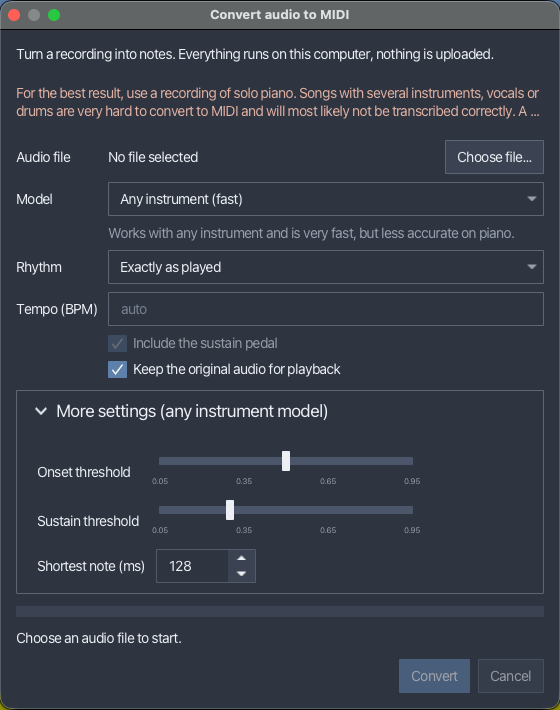
- Any instrument (fast) uses Spotify’s Basic Pitch. It’s small, very fast, and works with any instrument, but it’s noisier on piano recordings and doesn’t detect pedal. For this model, a few advanced settings let you tune the onset threshold, the sustain threshold, and the shortest note that’s kept.
The Workflow
- Choose an audio file and select the model.
- Pick how the rhythm should be handled: keep the notes exactly as played, or snap them to eighths, sixteenths, triplets, or sixteenths and triplets. The tempo is estimated from the notes, or you can enter the BPM yourself.
- Choose whether to include the sustain pedal and whether to keep the original audio for playback.
- Press Convert. A progress indicator is shown and you can cancel at any time.
The result opens as a recording, just like one you made by playing, so it works with all the MelodyMatrix views. When you kept the original audio, it plays back in sync with the detected notes, which makes it easy to hear how well the conversion worked.
For the best result, use a clean recording of solo piano. Songs with several instruments, vocals, or drums are very hard to transcribe and will most likely not give a correct result.
Java and JavaFX 27
MelodyMatrix now runs on Java and JavaFX 27. Along with the update come performance improvements, including lower memory usage and better threading.
Try It
Download the latest version from the MelodyMatrix download page, and read the full list of changes in the release notes. If you have feedback or ideas, I’d love to hear them!