First Test of Java on BeagleBoards (ARM and RISC-V)
As part of my 2026 learning goals around Java on RISC-V (see this post about x86 versus ARM versus RISC-V), I’ve asked various suppliers to send me evaluation boards. I already published these:
- LattePanda IOTA (x86)
- OrangePi 5 Ultra (ARM) and OrangePi RV2 (RISC-V)
- VisionFive 2 Lite (RISC-V)
- In this post: BeagleBoards (ARM and RISC-V)
I got all these boards for free, but what I write here and show in the video is not controlled by BeagleBoard or one of the other suppliers.
ARM versus RISC-V?
ARM and RISC-V represent two different approaches to processor design. ARM is the established player we know from, e.g., the Raspberry Pi’s. It’s mature, and has a huge ecosystem of tools and support built over decades. RISC-V is the open-source alternative, free from licensing restrictions and fully transparent. While ARM still leads in performance and tooling today, RISC-V is catching up fast. The real difference isn’t just about speed. It’s about openness and flexibility. With RISC-V, you’re not locked into a vendor’s ecosystem, and you have complete visibility into how your hardware works.
BeagleBoards
BeagleBoard has a wide range of single-board-computers in Raspberry Pi-like and Arduino-like formats. Here’s how the BeagleBoards I received, compare to the latest Raspberry Pi’s:
| Board | SOC | Type | CPU | Cores | Speed | Price (*) |
|---|---|---|---|---|---|---|
| Raspberry Pi 4 | BCM2711 | ARMv8 | Cortex-A72 | 4 | 1.8Ghz | 68€ (4GB) |
| Raspberry Pi 5 | BCM2712 | ARMv8 | Cortex-A76 | 4 | 2.4Ghz | 79€ (4GB) |
| BeagleY-AI | Texas AM67A | ARM | Cortex-A53 | 4 | 1.4Ghz | 73$ (4GB) |
| PocketBeagle 2 | ARM | Cortex-A53 | 4 | 1.4Ghz | 29$ (512MB) | |
| BeagleV-Fire | RISC-V + FPGA | 4+1 | 149$ (2GB + 16GB eMMC) | |||
| BeagleV-Ahead | Alibaba TH1520 | RISC-V | 4 | 2GHz | 149$ (4GB + 16GB eMMC) |
(*): Prices at the time this post was written, prices vary a lot over time because of the shortage of memory chips and availability of stock.
Test Boards
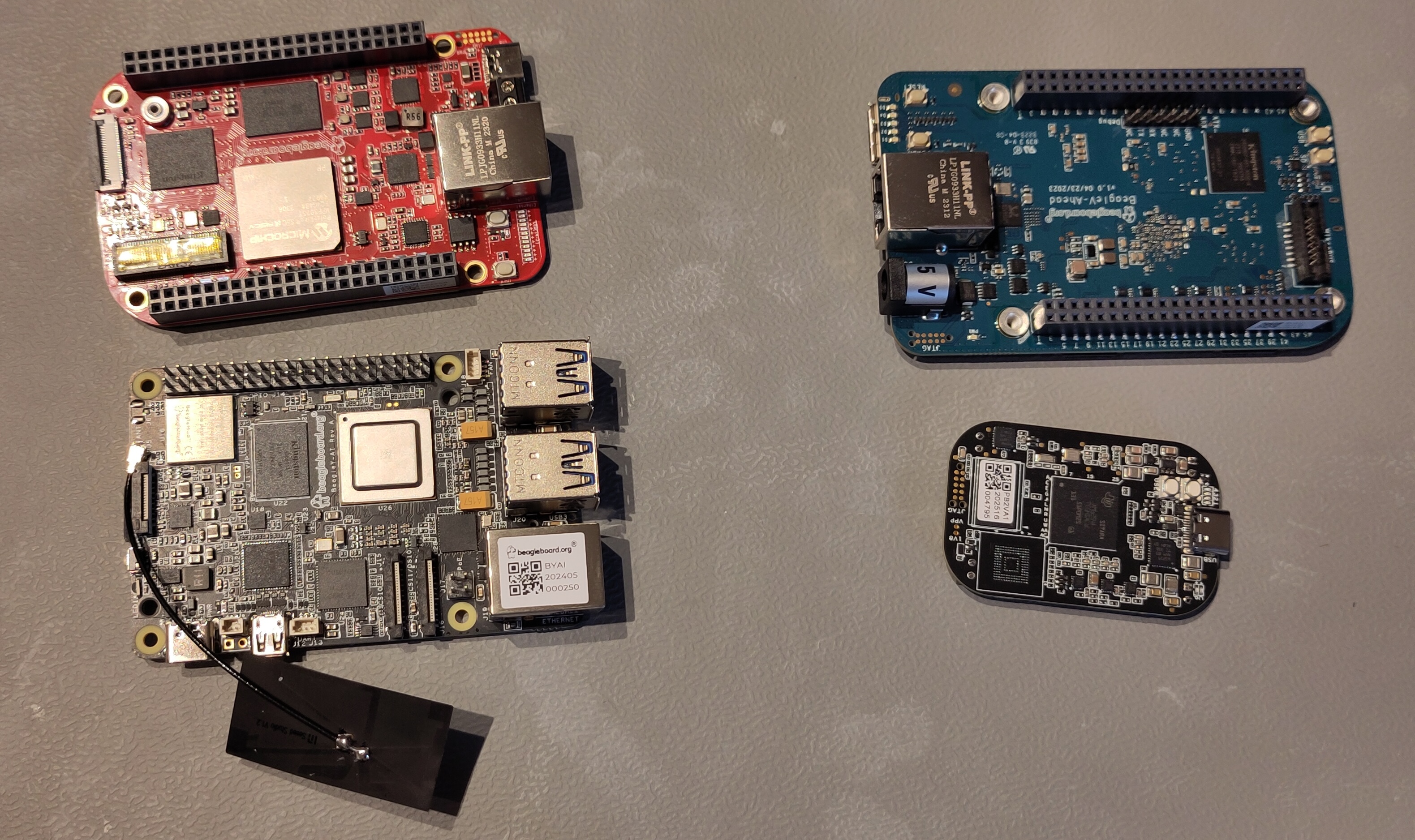
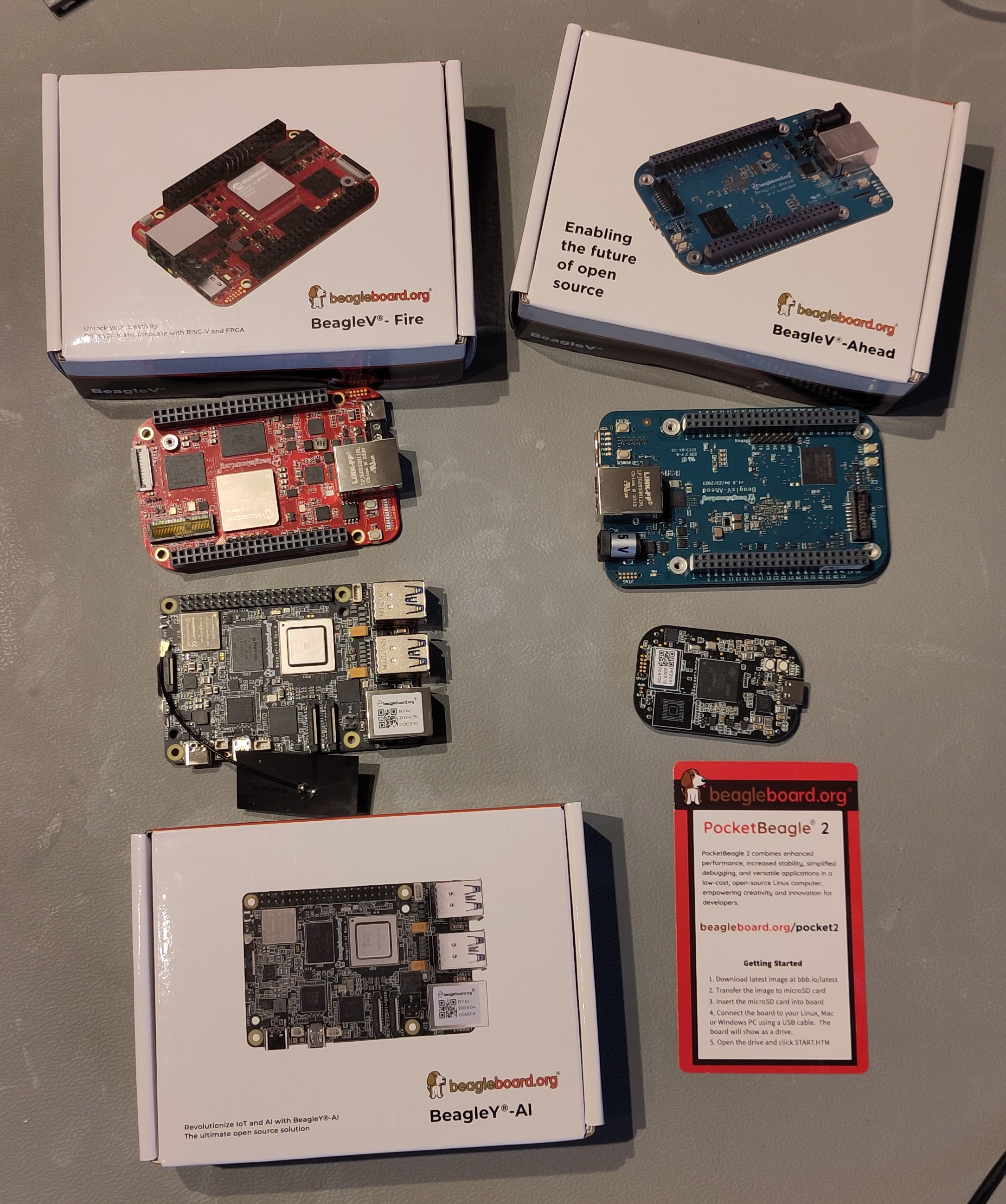
I received the following boards.
BeagleY-AI
BeagleY®-AI is a low-cost, open-source, community-supported development platform for developers and hobbyists in a familiar form-factor compatible with accessories available for other popular single board computers. Users benefit from BeagleBoard.org-provided Debian Linux software images with a built-in development environment and the ability to run artificial intelligence applications on a dedicated 4 TOPS co-processor along with real-time I/O tasks on a dedicated 800MHz microcontroller. BeagleY®-AI is designed to meet the needs of professional developers and classroom-environments alike being affordable and easy-to-use, while being open source hardware such that developers barriers are eliminated to how deep the lessons can go or how far you can take the design in practical applications.
BeagleV-Fire
BeagleV®-Fire is a revolutionary single-board computer (SBC) powered by the Microchip’s PolarFire® MPFS025T 5x core RISC-V System on Chip (SoC) with FPGA fabric. BeagleV®-Fire opens up new horizons for developers, tinkerers, and the open-source community to explore the vast potential of RISC-V architecture and FPGA technology. It has the same P8 & P9 cape header pins as BeagleBone Black allowing you to stack your favorite BeagleBone cape on top to expand it’s capability. Built around the powerful and energy-efficient RISC-V instruction set architecture (ISA) along with its versatile FPGA fabric, BeagleV®-Fire SBC offers unparalleled opportunities for developers, hobbyists, and researchers to explore and experiment with RISC-V technology.
BeagleV-Ahead
BeagleV®-Ahead is an open-source RISC-V single board computer (SBC) with BeagleBone Black cape header pins allowing you to stack your favorite BeagleBone cape on top to expand it’s capability. Featuring a powerful quad-core RISC-V processor, BeagleV®-Ahead is designed as an affordable RISC-V enabled pocket-size computer for anybody who want’s to dive deep into the new RISC-V ISA.
- Product page
- Documentation
- Linux Kernel
- Flashing Ubuntu OS
- BeagleV-Ahead Ubuntu 2023-07-05
- BeagleV-Ahead Quick Start
PocketBeagle 2
PocketBeagle 2 is an upgraded version of the popular PocketBeagle, designed as an ultra-compact, low-cost, and powerful single-board computer (SBC). Targeted at developers, students, and hobbyists, PocketBeagle 2 retains the simplicity and flexibility of its predecessor while delivering enhanced performance and expanded features to support modern development needs. PocketBeagle 2 is ideal for creating IoT devices, robotics projects, and educational applications. Its small form factor and low power consumption make it a versatile platform for embedded development, whether prototyping or deploying at scale.
- Product page
- Documentation
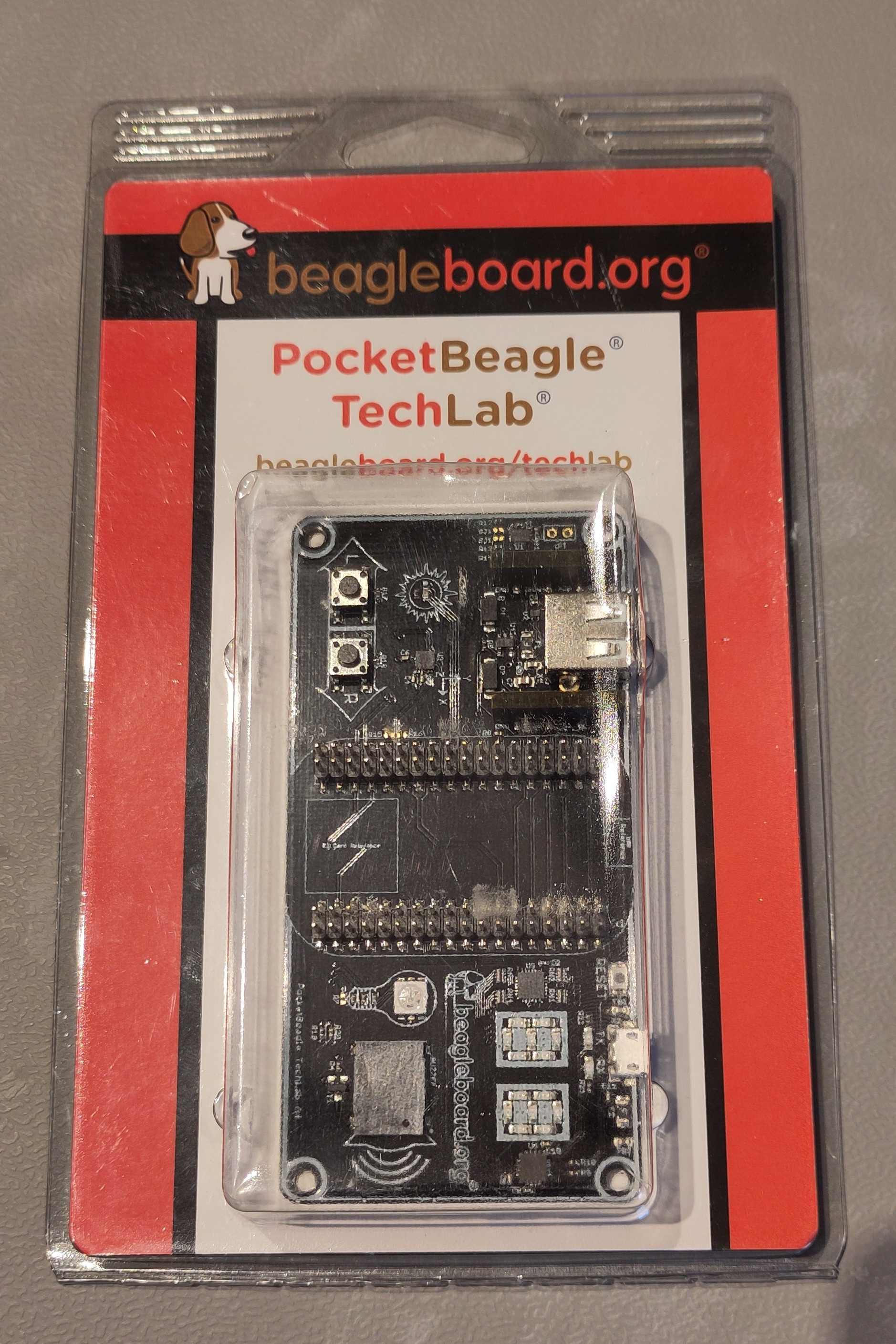
- PocketBeagle TechLab: Designed from lessons-learned in teaching hundreds of individuals getting their first introduction to programming, Linux, and ultimately hacking the kernel itself.
First Tests
The easiest way to get started with a BeagleBoard and burn the latest OS on an SD card, is the BeagleBoard Imaging Utility, available for Windows, macOS and Linux. This is the first supplier of SBC’s that provides such a tool that is comparable to the Raspberry Pi Imager Tool. It’s a crucial factor to get started with a new type of SBC, and BeagleBoard has done a great job in making this tool available.
BeagleY-AI (ARM Processor)
This board delivered the smoothest experience of all four BeagleBoards. Using BeagleBoard’s excellent Imaging Utility, I created an SD card with the latest OS, providing the username and password I want to use via the settings. With the SD card installed, I connected it via micro HDMI and USB, and booted into a desktop environment within minutes. After the standard update and `upgrade, I installed SDKMAN, Java (Azul Zulu 25.0.2 with JavaFX support), and JBang. The JavaFX test application from the Pi4J JBang repository ran flawlessly, confirming that both Java and JavaFX work perfectly on this ARM-based board. It’s very comparable to the Raspberry Pi 5, even sharing similar connector placement, making it an excellent choice for Java development.
sudo apt update
sudo apt upgrade
sudo apt install zip
curl -s "https://get.sdkman.io" | bash

# Close the terminal and open a new one
sdk install java 25.0.1-zulu-fx
sdk install jbang

# Close the terminal and open a new one
git clone https://github.com/Pi4J/pi4j-jbang.git
cd pi4j-jbang
cd javafx
jbang HelloJavaFXWorld.java
BeagleV-Fire (RISC-V Processor)
This board proved challenging due to my Raspberry Pi habits. I initially created an SD card using the Imaging Utility, not realizing the board already has Ubuntu pre-installed in its eMMC storage. Unfortunately, it’s running Ubuntu 23.04, which is no longer maintained, preventing me from updating or installing Java through the package manager. The correct approach requires connecting the board via USB to my computer and flashing the eMMC directly using the Imaging Utility’s device mode, but I haven’t successfully completed this process yet. While Java RISC-V builds exist and should theoretically work, I need to resolve the OS update issue first before confirming Java compatibility.
Default username and password are beagle:temppwd.
% ssh beagle@10.120.10.11
Ubuntu 23.04

BeagleBoard.org Ubuntu 23.04 Console Image 2023-10-19
Support: https://bbb.io/debian
default username:password is [beagle:temppwd]
BeagleV-Ahead (RISC-V Processor)
This larger RISC-V board presents its own unique challenges. Unlike modern boards, it requires a traditional 5-volt barrel connector instead of USB-C for power. I successfully connected to it via SSH over my network, but discovered it runs a custom Linux distribution specifically built for its processor, one I didn’t recognize and couldn’t identify as Debian or Ubuntu-based. The apt package manager doesn’t function on this distribution, leaving me unable to install Java through standard methods. While Java RISC-V builds should theoretically be compatible, I need to dive deeper into the documentation to understand this custom distribution and determine the proper installation approach.
Default username is root without a password.
# cat /etc/*-release
commit-id:52fbe8443ea11d7e0abf958a8e2a202d67ef40c1
ID=thead-c910
NAME="THEAD C910 Release Distro"
VERSION="1.1.2"
VERSION_ID=1.1.2
PRETTY_NAME="THEAD C910 Release Distro 1.1.2"
BUILD_ID="20230609164851"
HOME_URL="https://occ.t-head.cn/"

# apt search openjdk
Sorting... Done
Full Text Search... Done

# apt install java
Reading package lists... Done
Building dependency tree... Done
E: Unable to locate package java
PocketBeagle 2 2 (ARM Processor)
This tiny ARM-based board uses the Cortex A53 processor (the same as the BeagleY-AI), which means Java should run without issues since ARM Java distributions are readily available. I haven’t tested it yet, but I’m confident it will work. The exciting part is the included Tech Lab kit with buttons and RGB LEDs that mount directly on top of the board, making it an ideal platform for coding clubs and educational settings where you want to combine programming with physical computing experiments. This compact form factor paired with interactive hardware makes it a promising board for hands-on Java experimentation.
Conclusion
My congratulations to BeagleBoard for their documentation website and Imaging Utility! That really sets them apart from other single-board computer suppliers I tested before. Java on BeagleY-AI runs within minutes of starting my tests, and I’m confident I’ll be able to use it for further experiments.
For the other boards, I’ll need some more time to figure out how to proceed. The BeagleV-Fire needs a newer version of Ubuntu, and the Linux version on the BeagleV-Ahead is still a mystery to me…
As I set my goals for 2026 to learn more about different types of single-board-computers that’s a perfect conclusion. It’s just the beginning of 2026, so I have still more than 10 months this year to achieve my goal ;-)